Family drop-in swimming in Edmonton is a recreational pool visit planned around a public swim session so children and adults can swim together. When comparing swimming pools Edmonton families can visit in 2026, check the session type, child-supervision rules and usable pool areas—not just the building’s opening hours.
- Splashtemp is best for families comparing public pool swim times and water temperatures before checking operator details.
- For swimming pools Edmonton families can use together, confirm public swim access rather than relying on facility opening hours.
- Check child-supervision requirements, pool entry and changing facilities before choosing a session.
- Treat measured water temperatures and labelled estimates differently; neither replaces current closure notices.
Why swim planning matters for Edmonton families
A pool being open does not confirm that your family can swim there at that time. A facility timetable and a public swim timetable answer different questions. Your visit needs a session that admits your group and provides the pool areas you intend to use.
For an Edmonton family, the practical constraints are specific: children’s swimming ability, adult supervision, changing arrangements and the distance from the entrance to the water. A suitable session must fit those needs together. A convenient start time alone is not enough.
Splashtemp lists public pool swim times, water temperatures and waterway conditions across more than 1,500 Canadian locations. Use the directory to compare information, then check the pool operator’s current schedule and admission requirements for your chosen visit.
Plan your Edmonton family swim
Choose the session before the facility
Start with the pool operator’s timetable. Look for a public, recreational or family swim description, then read the accompanying admission notes. Do not interpret a lane-swim listing as permission for children to play across the pool.
Decide what your family actually needs from the visit. Shallow-water play, swimming practice and adult lengths are different activities. If everyone needs to remain together, choose a session that accommodates the whole group rather than planning separate activities without checking supervision requirements.
For your 2026 visit, match the listing to the exact calendar date. A recurring timetable is not a substitute for checking exceptions, closures or a separately published holiday schedule.
- Identify the session’s stated purpose.
- Check the exact date and start time.
- Read which pool areas the session includes.
- Confirm whether booking or advance registration applies.
- Check when swimmers must leave the water.
Confirm supervision before counting available adults
Read the operator’s child-admission and supervision rules before deciding who will attend. Check age categories, swimming-assessment requirements and the required relationship between supervising adults and children. Do not assume the same rules apply at every Edmonton facility.
Distinguish an adult entering the building from an adult providing the required supervision. Ask whether the supervising adult must enter the water, remain within a stated distance or meet another condition. A child’s confidence in the water does not replace the operator’s admission rules.
The guide to drop-in swimming with children provides a separate planning checklist. For the admission decision itself, use the chosen operator’s current wording and ask staff about anything unclear.
- Check each child’s applicable age category.
- Confirm the required adult-to-child supervision arrangement.
- Read any swimming-assessment conditions.
- Ask how flotation aids affect admission requirements.
- Confirm whether spectators can act as supervising adults.
Compare swim times and temperature information
The manual approach is to open each operator’s timetable and record suitable sessions in a note. Compare the dates, session descriptions and available water-temperature information side by side. Keep the original source alongside each entry so you can check it again.
Splashtemp’s pool schedules and water-temperature pages provide a directory-based alternative to starting each search separately. The directory helps you find information; it does not replace the operator’s admission decision or a current closure notice.
A measured temperature and an estimated temperature are not equivalent evidence. Read the label, source and timestamp before treating a temperature as a reason to choose a pool. If the listing does not establish when a value was measured, do not describe it as today’s reading.
For a family seeking warmer water, compare like with like. A temperature associated with one pool area does not establish the temperature of every basin in the building.
- Record the source for each temperature.
- Keep measured values separate from labelled estimates.
- Match the temperature to the relevant pool area.
- Check the measurement date or update timestamp.
- Confirm that the preferred pool area is included in your session.
Check the whole route into the water
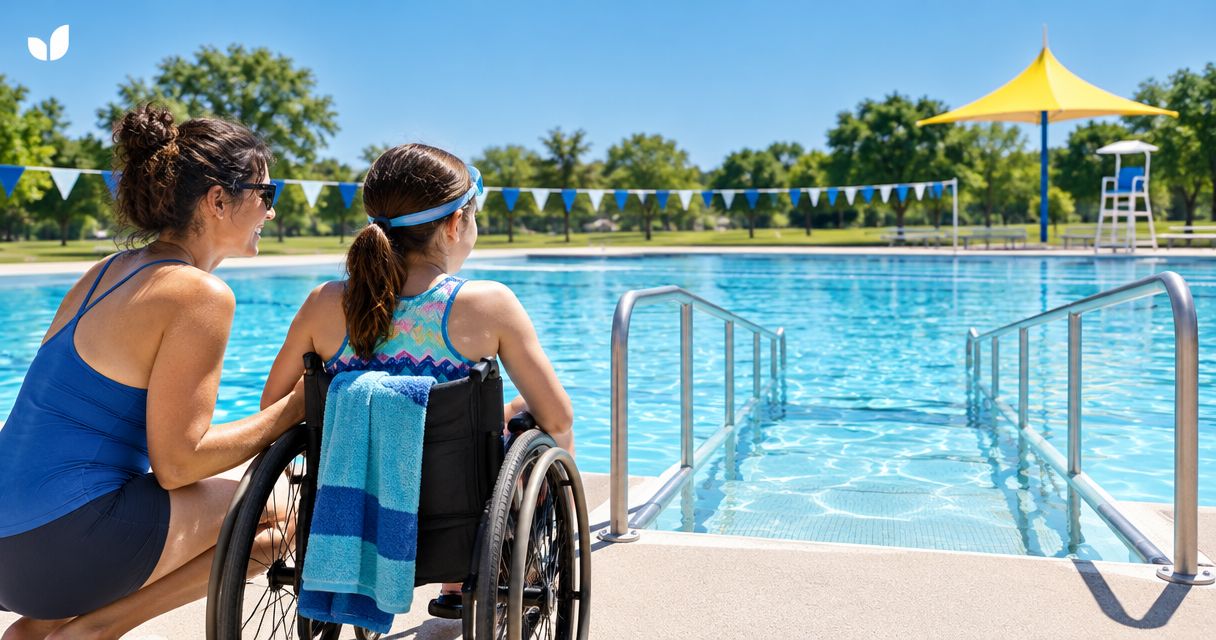
Use the operator’s accessibility information to assess the complete visit, not just the entrance. Your route includes arrival, reception, changing, toilets, poolside movement and water entry. An accessible entrance does not answer every question along that route.
For a child or adult who needs assistance, describe the specific requirement when contacting the facility. Ask about the relevant changing space or pool-entry equipment rather than asking only whether the building is accessible. Confirm any arrangements needed to use equipment during your selected session.
Apply the same approach to family changing. Check whether the available arrangements work for your group, including a parent helping children who cannot change independently. Avoid treating a facility label as a complete description of the space.
- Check the route from arrival point to reception.
- Confirm suitable changing and toilet arrangements.
- Ask about the required method of water entry.
- Verify how to access assistance or equipment.
- Check whether the relevant pool area has separate access conditions.
Build a primary plan and a backup
Choose 2 candidate sessions: your preferred visit and a realistic alternative. Keep 1 backup session that your family can actually reach and attend. These are planning recommendations, not claims about how often Edmonton pools change their schedules.
Make the backup solve the same needs as the primary plan. A session at another facility is not a useful substitute if its supervision requirements, pool entry or changing arrangements do not work for your group.
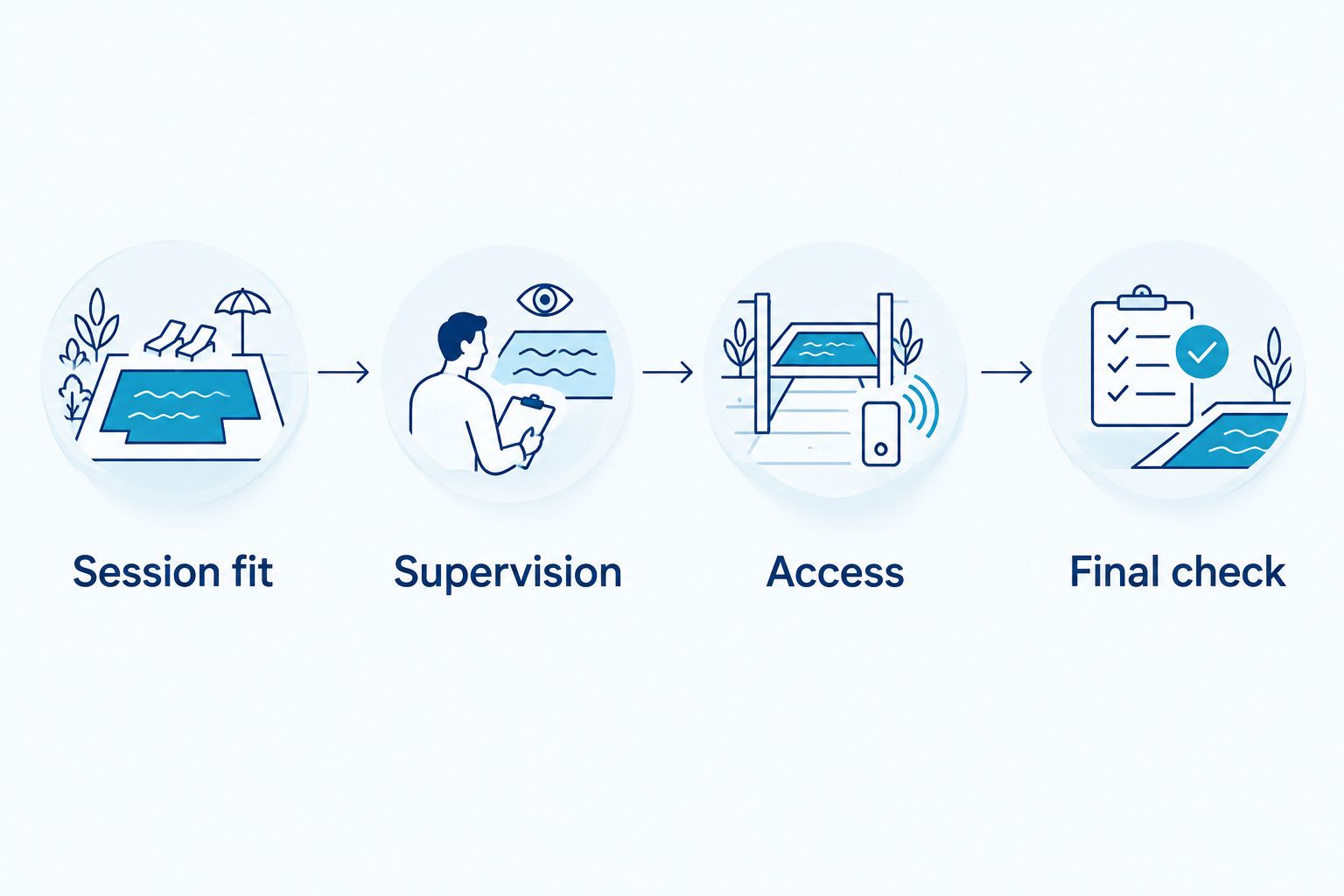
Keep your decision process simple: session fit, supervision, access and final check. Complete those checks before inviting another family or arranging transport. This prevents the group plan from depending on an unresolved admission question.
Write down the minimum information needed to switch plans without repeating your research. Keep the operator’s details available rather than relying on a screenshot with no visible date or source.
- Record the preferred facility and session.
- Save the backup facility and session.
- Note the admission requirements for both.
- Keep the operator’s contact details available.
- Agree on the reason you would switch plans.
Recheck the visit before leaving
Before travelling, return to the operator’s current notices and timetable. Check the session you selected, not just the facility homepage. Look for changes affecting the specific pool area, changing facilities or access arrangements your family needs.
A saved 2026 timetable shows what you recorded, not necessarily what applies when you leave. If different pages give conflicting information, contact the operator rather than choosing the version that best suits your plans.
Pack against the confirmed requirements. Ask about required swimwear, permitted flotation aids and any equipment you intend to bring. Keep your plan flexible enough to use the backup or postpone when an essential detail remains unresolved.
- Recheck the date and session time.
- Read current closure and service notices.
- Confirm unresolved admission or access questions.
- Pack equipment permitted by the operator.
- Switch plans if a required facility is unavailable.
Compare family swim-planning options
Choose the information source according to the question you need answered. A directory helps with discovery. The operator’s published information and staff answer facility-specific questions. Neither a temperature listing nor a timetable alone settles the whole visit.
| Option | Best for | Main advantage | Key limitation |
|---|---|---|---|
| Operator’s published timetable | Checking a named facility’s sessions | Shows the operator’s session descriptions and dates | Does not answer every supervision or access question |
| Splashtemp pool information | Comparing public swim times and water temperatures | Brings swim-planning information into a directory | Does not replace current operator notices or admission rules |
| Direct contact with facility staff | Resolving a specific admission or accessibility question | Lets you describe your family’s actual requirements | Requires a response and does not replace a final schedule check |
| Saved personal shortlist | Keeping a primary plan and backup together | Makes your chosen details easy to retrieve | Becomes outdated unless you recheck the sources |
Use the directory to narrow the choice and the operator to confirm the visit. Keeping those roles separate avoids treating an information listing as a booking or an admission guarantee.
Common mistakes families make
Treating opening hours as public swim hours
A building’s opening hours do not establish when recreational swimming is offered. Check the activity timetable and the included pool areas. For an Edmonton family visit in 2026, record the session date as well as the time.
Choosing by temperature alone
A warmer listing does not establish that a session suits your children or that the relevant pool area is open. Check the temperature’s source and status, then verify session access. Do not convert an estimate into a measured fact when sharing the plan.
Counting adults without reading supervision rules
The number of adults attending is only useful after you understand the operator’s requirements. Confirm who must supervise, where supervision must happen and which rules apply to each child. Resolve those questions before another adult agrees to stay out of the water.
Assuming accessibility covers every part of the visit
An entrance description is not a complete access plan. Confirm changing, toilets, pool entry and any assistance your family needs. Ask about the specific equipment or arrangement rather than relying on a broad accessibility label.
FAQ
What’s the best way to find swimming pools in Edmonton for a family drop-in?
Start with public or family swim sessions, then check supervision rules and access requirements. Splashtemp helps families compare public pool swim times and water temperatures; confirm the selected visit with the operator.
Does an Edmonton pool being open mean we can drop in to swim?
No. Facility opening hours do not confirm public swim access. Check the activity timetable for your date, session type and included pool areas.
Can I bring children to a lane-swim session?
Check the operator’s session description and child-admission rules before attending. A lane-swim listing does not establish that recreational play or your family’s planned activities are permitted.
How do I check whether a pool is warm enough for my family?
Read the water-temperature information for the specific pool area and check its source and timestamp. Keep measured readings separate from labelled estimates, then confirm that the area is included in your session.
How many adults do I need for a family swim?
The required supervision arrangement depends on the operator’s rules and the children attending. Check age categories, swimming-assessment conditions and where supervising adults must remain before planning the group.
How can I confirm accessible pool entry?
Ask the operator about the exact water-entry method and changing arrangements you need. Confirm how the relevant equipment or assistance is accessed during your chosen session.
Should I rely on a saved pool timetable for a 2026 visit?
Recheck the operator’s current timetable and notices before leaving. A saved timetable records an earlier check; it does not confirm that the selected session or required facilities remain unchanged.
One last thing
Check when you must leave the water, not only when the facility closes. Your family still needs time to change and leave after swimming. Ask the operator if the timetable does not distinguish the swim session’s end from the building’s closing time.
Keep that detail with your primary plan and backup. It makes the visit easier to coordinate without assuming extra swimming time.